

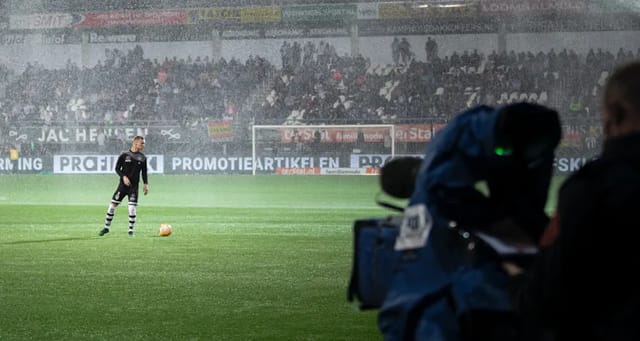
Some drivers and dimming methods modulate output in ways cameras can capture.
LED Lighting for TV and Photography
Camera lighting exposes problems that ordinary viewing may hide. Flicker, PWM dimming, low color quality, inconsistent CCT, poor diffusion, glare, and narrow beam control can show up in television, photography, and high-speed video. The fixture has to match the camera, frame rate, shutter speed, scene, and color workflow.
What to Check First
- Ask for flicker or modulation data, especially for high-speed video and dimming applications.
- Compare CRI, TM-30, CCT consistency, beam angle, diffusion, dimming method, and driver quality.
- Test the actual fixture with the camera settings before buying a large quantity.
Application Decision Table
| Use Case | Practical Guidance |
|---|---|
| TV or interview set | Needs color consistency, glare control, diffusion, and quiet dimming. |
| High-speed camera | Needs careful flicker review and fixture testing at the planned frame rate. |
| Sports or industrial imaging | Needs high output, uniformity, aiming, and driver quality. |
Specification Checklist
- Flicker or modulation data
- Driver and dimming method
- CRI and TM-30
- CCT consistency
- Beam control
- Heat and fan noise
Common Mistakes to Avoid
- Assuming any bright LED works for cameras.
- Testing at full output only and missing dimming flicker.
- Ignoring color rendition and camera white balance.
Camera-Friendly LED Lighting Starts With Flicker
For TV, video, and high-speed photography, a light that looks steady to the eye can still band, pulse, or flicker on camera. Check driver quality, dimming method, flicker claims, frame rate, shutter speed, CCT, color rendering, beam control, and whether the light will be used for slow motion or high-speed capture.
| Camera issue | What to check |
|---|---|
| Flicker or banding | Use quality drivers and test at the frame rate and shutter settings you will shoot. |
| Color shift | Compare CRI, TM-30, CCT consistency, and dimming behavior. |
| Harsh shadows | Use diffusion, larger source area, or softer beam control when needed. |
| High-speed video | Test before production because flicker tolerance gets stricter as frame rates rise. |
More Details to Consider
Camera-friendly LED lighting starts with flicker and color quality. A light can look steady to the eye but still produce banding, pulsing, or color shifts on camera, especially with dimming or high-speed video.
Check driver quality, modulation or flicker data, dimming method, CRI, TM-30, CCT consistency, beam control, diffusion, heat, and fan noise. Test the actual fixture with the frame rate, shutter speed, camera, and dimming level that will be used.
Brightness alone is not enough for TV, photography, or high-speed capture. A softer source, better distribution, and consistent spectrum often matter more than simply adding more lumens.
Frequently Asked Questions
- Why do LED lights flicker on camera?
- Some drivers and dimming methods modulate output in ways cameras can capture.
- Is CRI enough for video lighting?
- CRI helps but is not the whole story. TM-30, CCT consistency, spectrum, and testing matter.
- Do I need special lights for high-speed video?
- Often yes. High frame rates make flicker and modulation more visible.
- What is the safest buying step?
- Test the fixture with the actual camera, shutter, frame rate, and dimming settings.

Ready to Upgrade Your LED Lighting?
Our lighting specialists can help compare fixtures, confirm light levels, and quote products that fit the site.
Call 800-674-9420 or email [email protected]
Monday-Friday, 8am-5pm PST

About the Author
Dara Greaney is founder and CEO of LED Light Expert with deep expertise in commercial LED lighting, retrofits, and photometric planning.
Editing by David Peguero

Trusted by Thousands
Our customers love us — and we love them back.


-
 Free Shipping
On orders over $49.00
-
 Free Extended Warranty
Up to 7 Years Free Warranty On LED Lights
-
100% Satisfaction Guarantee
